Chat with a storyboard software expert! Live Sales Chat

home

Products

Support

Company

Store

Solution

StoryBoard Quick

 
Products Overview
StoryBoard Quick
StoryBoard Quick Studio
StoryBoard Artist
StoryBoard Artist Studio
StoryBoard Add-On Libraries
StoryBoard for MAC
StoryBoard for PC
AutoActuals (AICP)
CostumePro
Are you a Reseller?
Work for a Studio?
Work for an Agency?
Educator or Student?
Have Questions?
 
 
You are here: Home Products StoryBoard Quick
 

StoryBoard Quick Simplifies the Storyboarding Process

Easy-to-Learn Functions and Exclusive Features

 
Choose a Character
 
 
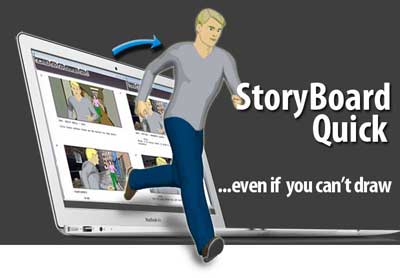
StoryBoard Quick is fast and easy to use, even if you can’t draw!

This storyboard software helps you create the visual representations.
Easy-to-Use
 
 
StoryBoard Quick storyboarding software is fast and easy to use...even if you can't draw. Get started right away in creating and presenting. On a deadline? StoryBoard Quick is a must!
No Drawing Necessary
 
 
Pre-loaded with libraries of content, StoryBoard Quick will help design storyboards that are clear and look great, even without artistic ability. Adding graphics to your storyboards is as easy as pointing and clicking!


Produce and deliver professional storyboards with feature-packed StoryBoard Quick.
   
  StoryBoard Quick’s easy page layout features, graphic manipulation tools, caption storage, and image layering functions make storyboarding faster than ever, all the while allowing you to show people the vision of your project.  


Save Time. Save Money
StoryBoard Software When you work faster, you save tons of valuable time and, in turn, money on your media, film or video production. Not just in the time you save in preparing your storyboards but in the time you save on the set. Read more about how valuable it is to develop and use storyboards to plan your project!
 
Design and refine.
When you see your shots next to your script you are better able to refine your story ideas. Read more about how you can make a tighter end project with storyboard software.
 
Instant StoryBoards
Print your great-looking storyboards, or export them as graphic files or a Flash movie. StoryBoard Quick makes it easy to show off your ideas. The new script-integrated page layout gives you script formatting with thumbnail shots and is just one of the many ways to show your ideas.


StoryBoard Quick Features
The Art of Storyboarding.
New cast. New props. New locations. And more of each too! Color-customizable, rotating characters and props define spatial relationship in your shots. 3D Director's Arrows indicate actor and camera movement. You don't need to be a storyboard artist (but draw tools included!). StoryBoard Quick IS the art of script-integrated storyboarding."
 
Plays well with others.
Import almost anything into your storyboards! Take digital photos and drag and drop them right into the storyboard frame. Import your script from any screenwriting program or even text files. Import your scheduling data as well. You can also type directly into the caption area and even in the frame itself for the fastest script-integrated storyboards on the planet.
 
It's ok. Be a show off.
Print your great-looking storyboards, or export them as graphic files or a Flash movie. Storyboard Software Storyboard Quick makes it easy to show off your ideas. The new script-integrated page layout gives you script formatting with thumbnail shots and is just one of the many ways to show your ideas.
 
Edit and organize.
StoryBoard Quick's overview gives you the power to see the whole storyboard project in one view. Rearrange your shots, delete frames, insert a missing shot and jump to frames for lightning-fast editing. The overview also can display the captions for superior workflow control.
 
 
Storyboards in a Flash.
New export to Flash video allows you to play back your storyboards locally or on the internet. Easily export the HTML code along with project sizings so you can play the storyboards back at full frame or optimize for viewing on iPhones and other mobile devices.
 
 
The right tool.
Zoom in. Zoom out. Rotate around. Draw in the storyboard frame using vector draw tools. Import with alpha channels and crop tools included. New in-frame speech bubble and extra directors arrows. See how to use these features quickly and easily with the video tutorials. Combine them all to create the perfect storyboard project.